 Insurance
 AI
AI
 Health Care
 Construction
 Financial Services
 Mobile
 Real Estate
 Project Management
 Client Background
Software teams need dependable ways to verify application behaviour as features change and new releases are prepared. Automated testing can help teams repeat checks consistently, but creating and maintaining scripts, managing test data and investigating failures can require considerable tester effort. Rheal developed a desktop tool to bring script management, test execution and run evidence into one workflow.
 Challenges
Automation testing workflows can become difficult to manage when scripts are created in different ways, test data needs to be changed for different scenarios, and execution is handled separately from results and troubleshooting. Repeatedly creating similar scripts can also add avoidable effort. When a test fails, a final pass/fail status alone may not provide enough context to identify where the failure occurred. The team needed a practical workflow for preparing reusable scripts, running tests flexibly and reviewing evidence from each run.
 Solutions
Rheal developed an installable desktop application using Electron.js, with Playwright as the automation engine. Test scripts can be generated with the help of an AI tool by prompting it to create Playwright-compatible scripts. The scripts can then be stored in a Git repository. For execution, testers download the scripts from Git into the desktop tool, customise the test data and run the required tests.
The workflow separates test script development from test execution, allowing teams to prepare and maintain scripts independently of the tester's execution session.
Key Features of the Solution
- AI-Assisted Script Creation: Testers can use an AI tool with prompts that specify Playwright as the testing framework to generate automation scripts.
- Git-Based Script Management: Test scripts can be stored in a Git repository and downloaded into the desktop application when required.
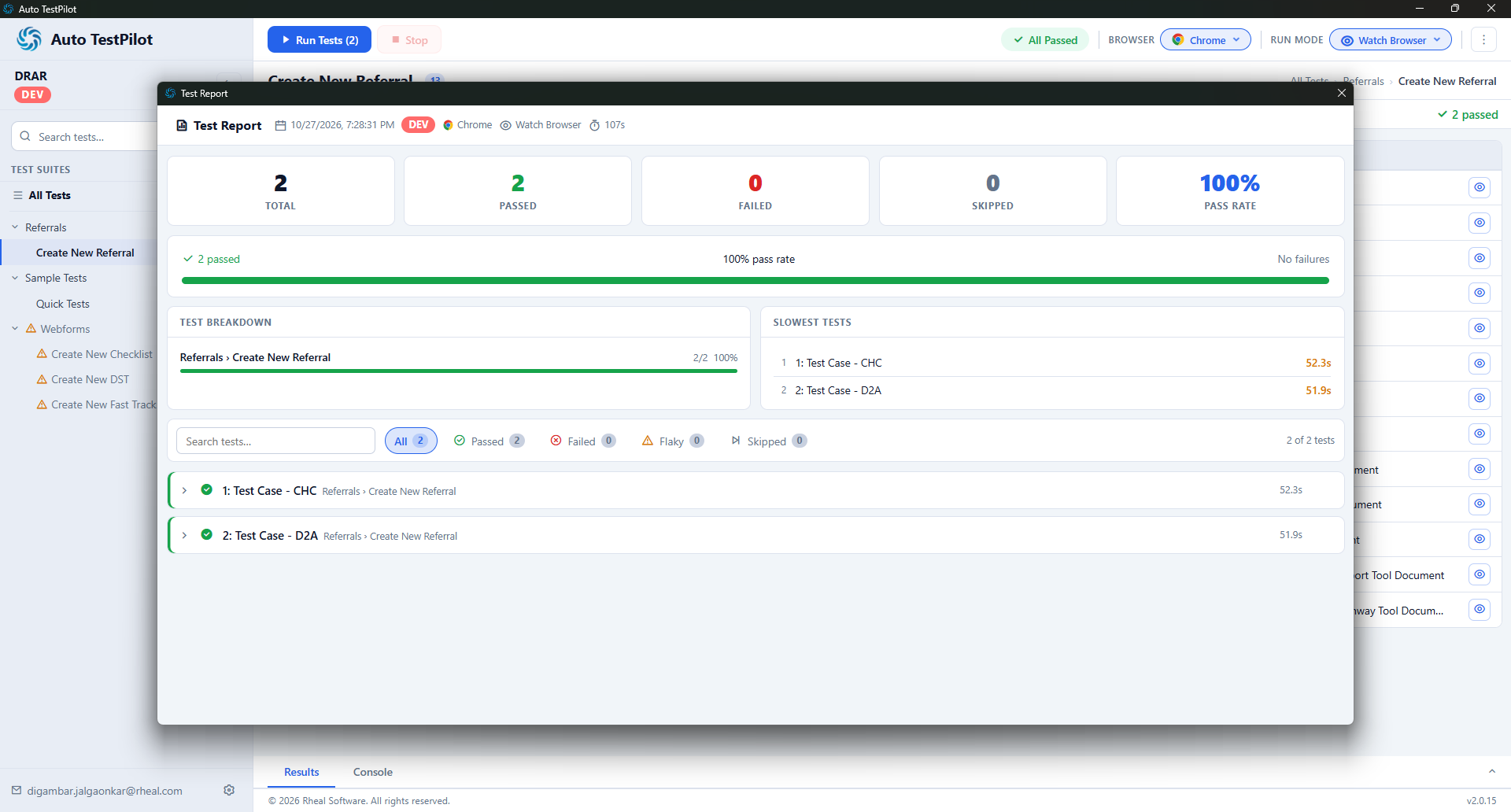
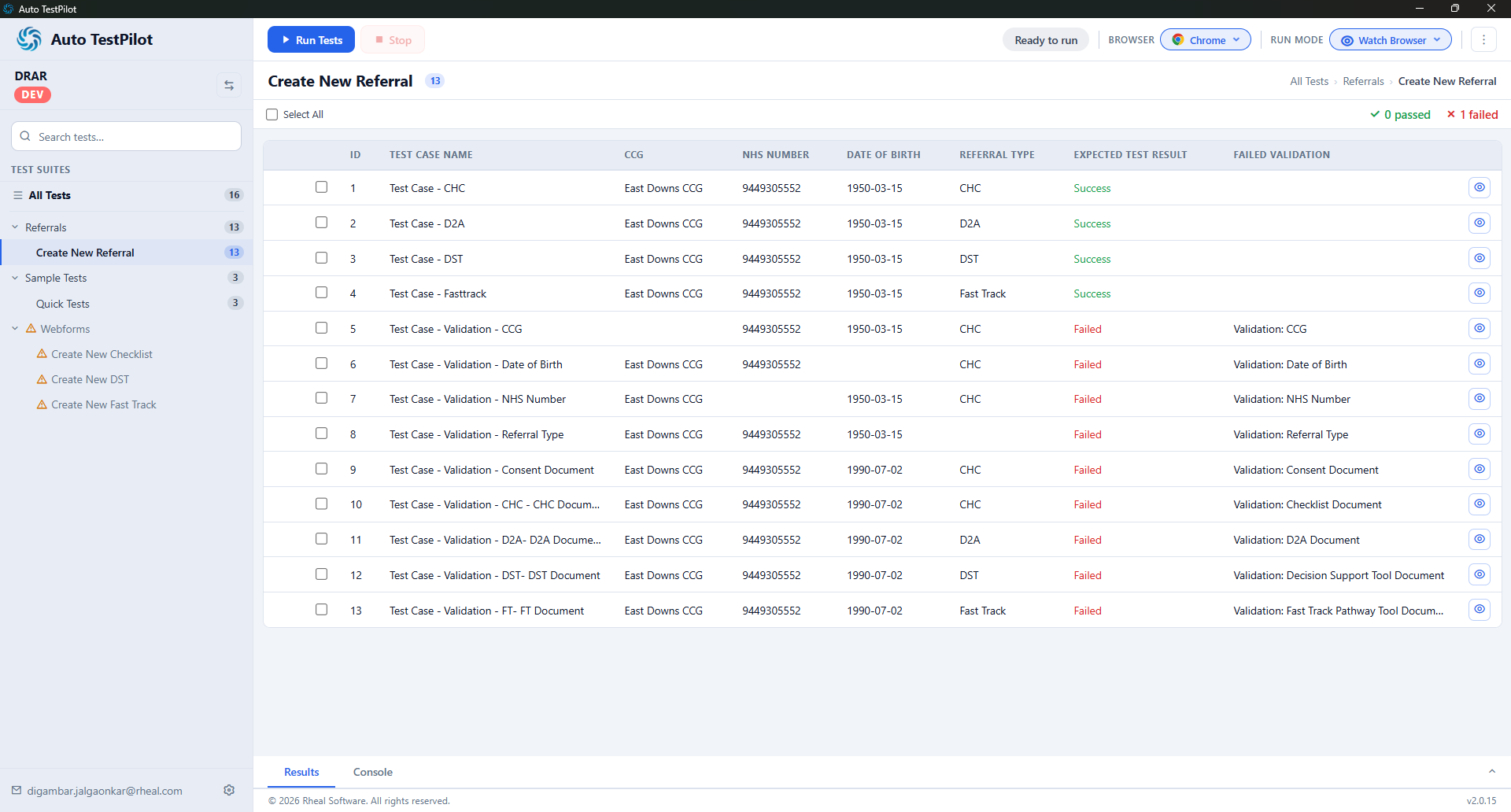
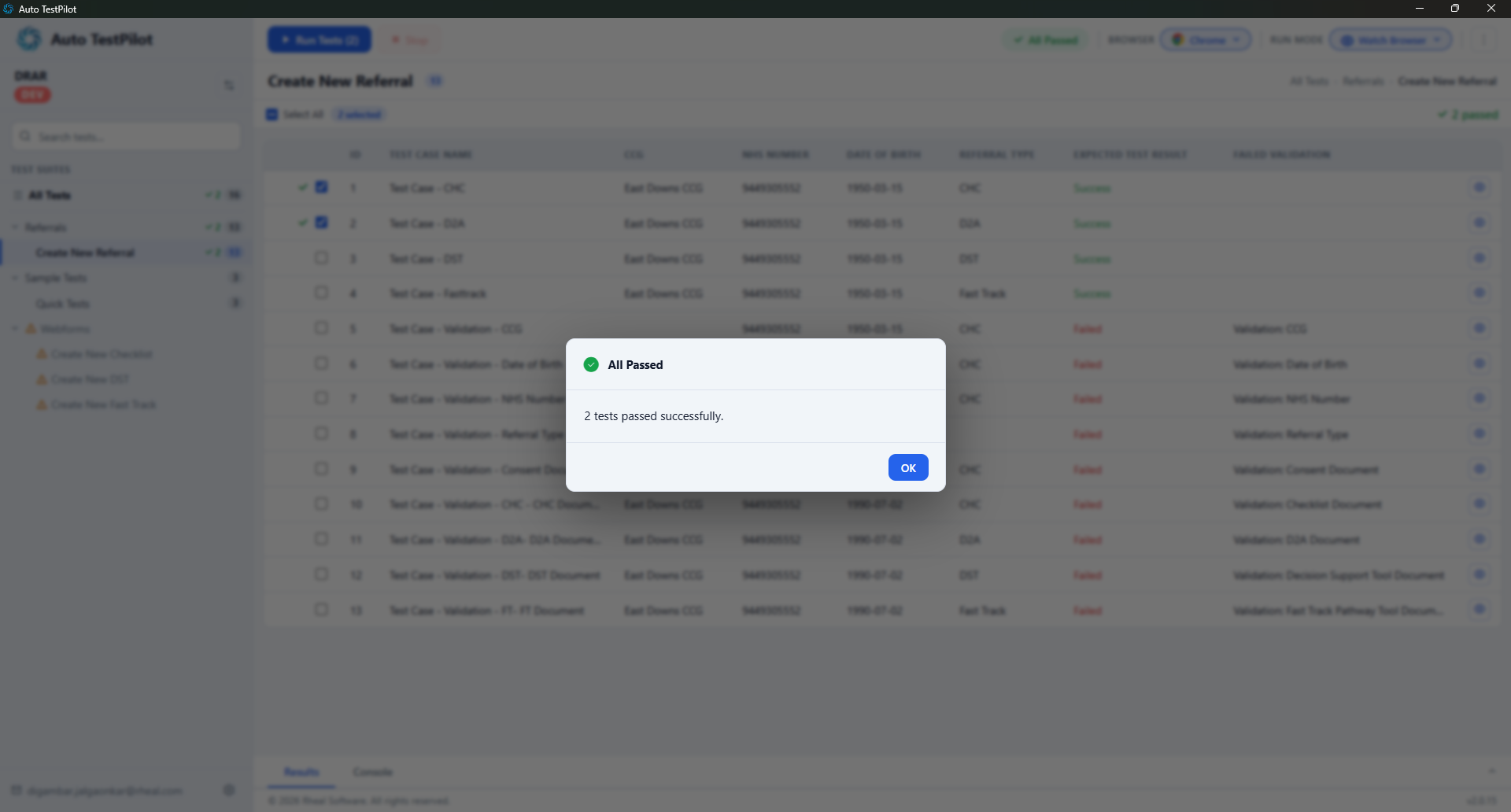
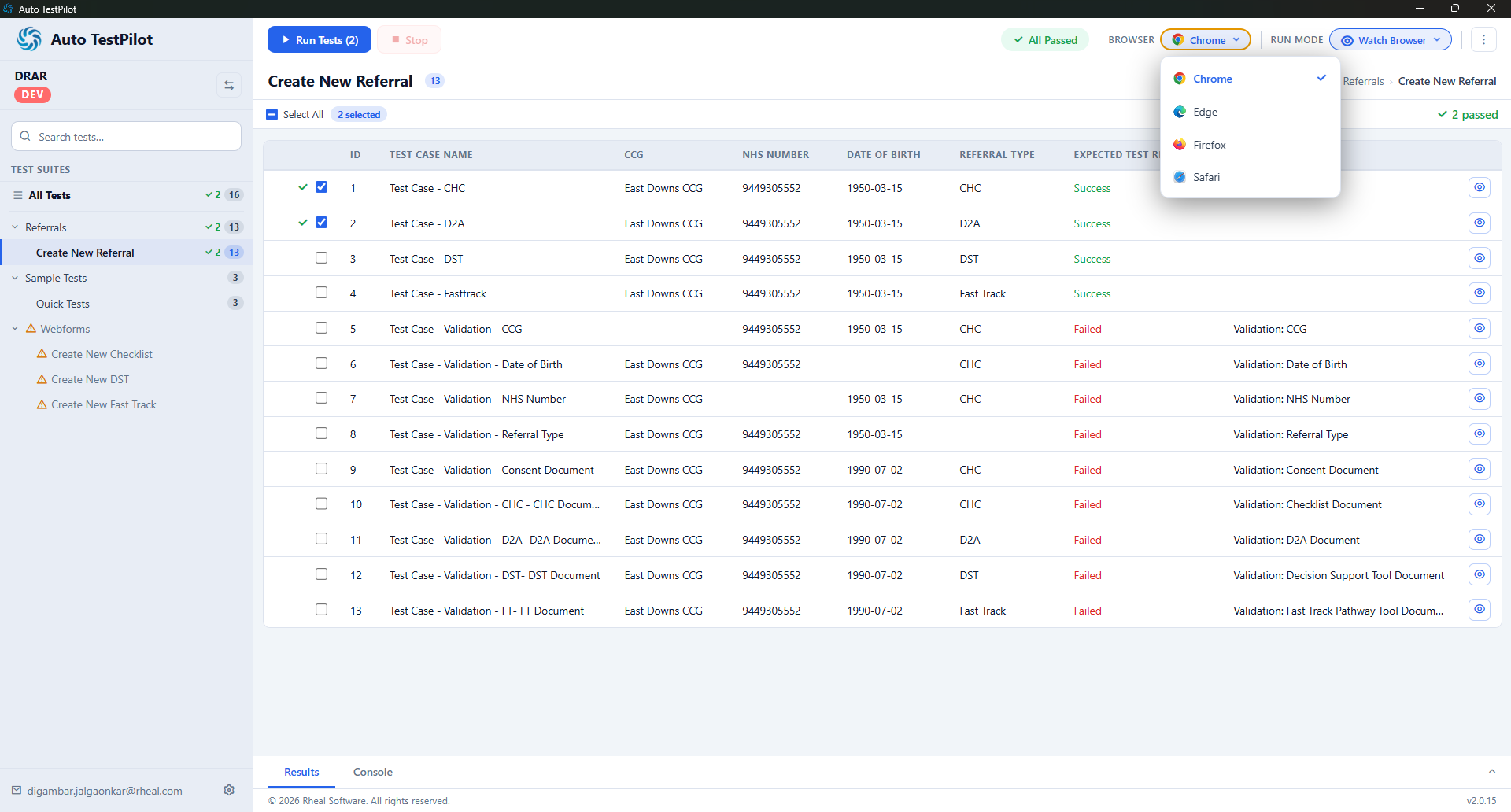
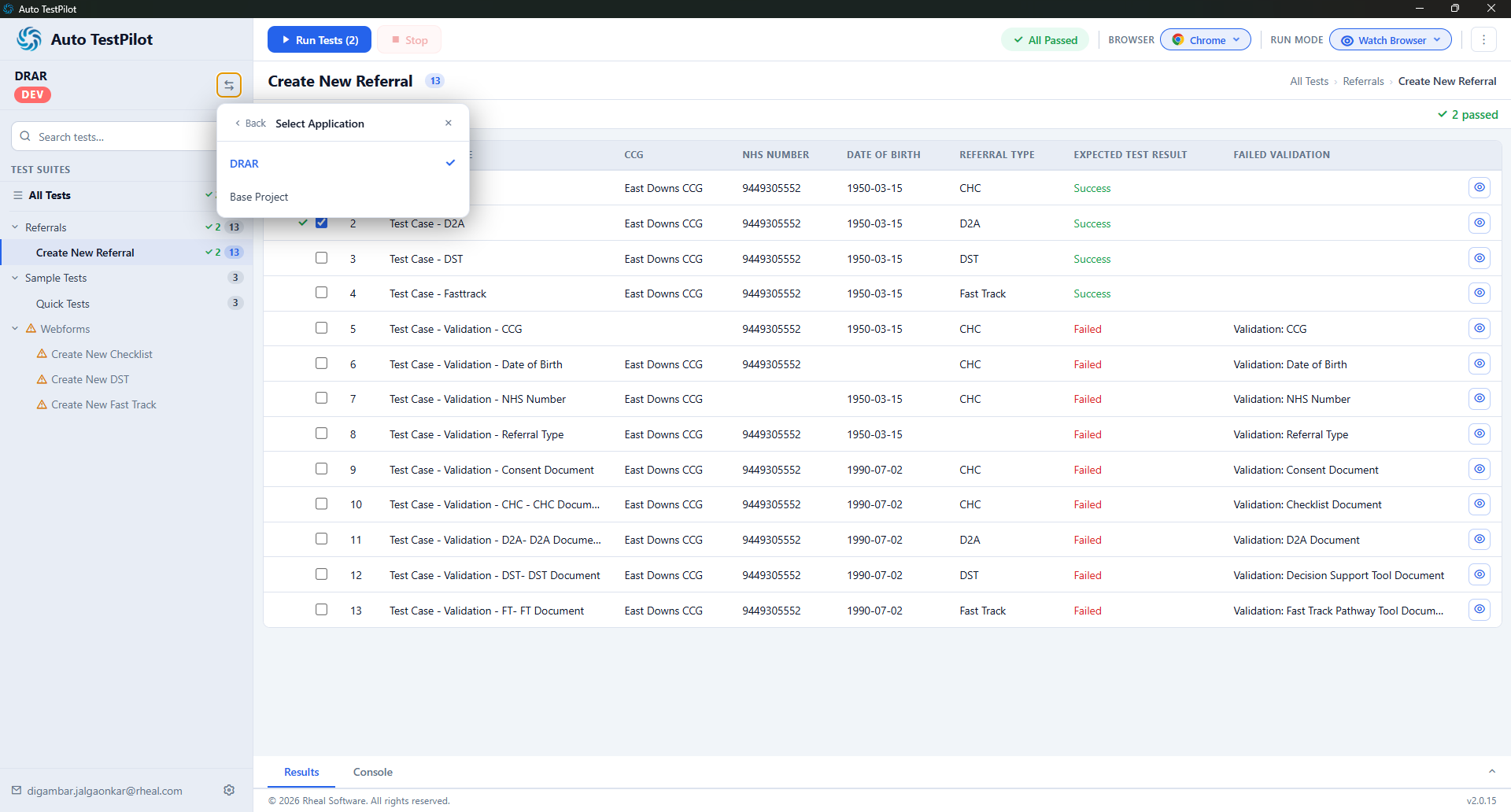
- Centralised Test Script List: Imported scripts are displayed in a list so testers can select the tests they want to prepare or execute.
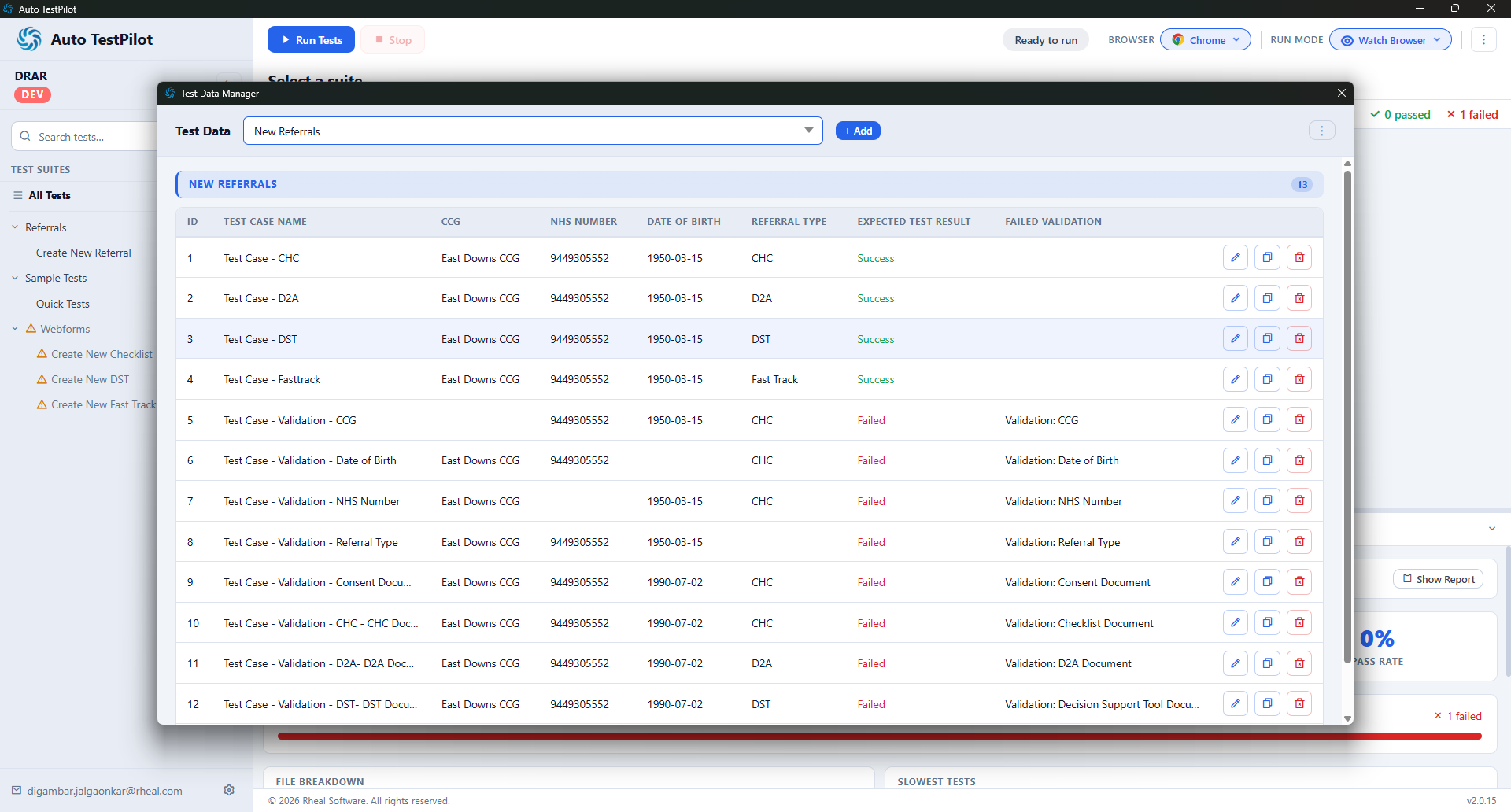
- Customisable Test Data: Testers can modify the data used by a script to run it against different scenarios.
- Reusable Scripts Through Cloning: A tester can clone an existing script and adjust its test data, reducing the need to create a similar script from scratch.
- Flexible Test Execution: Tests can be run individually or multiple scripts can be selected and executed together.
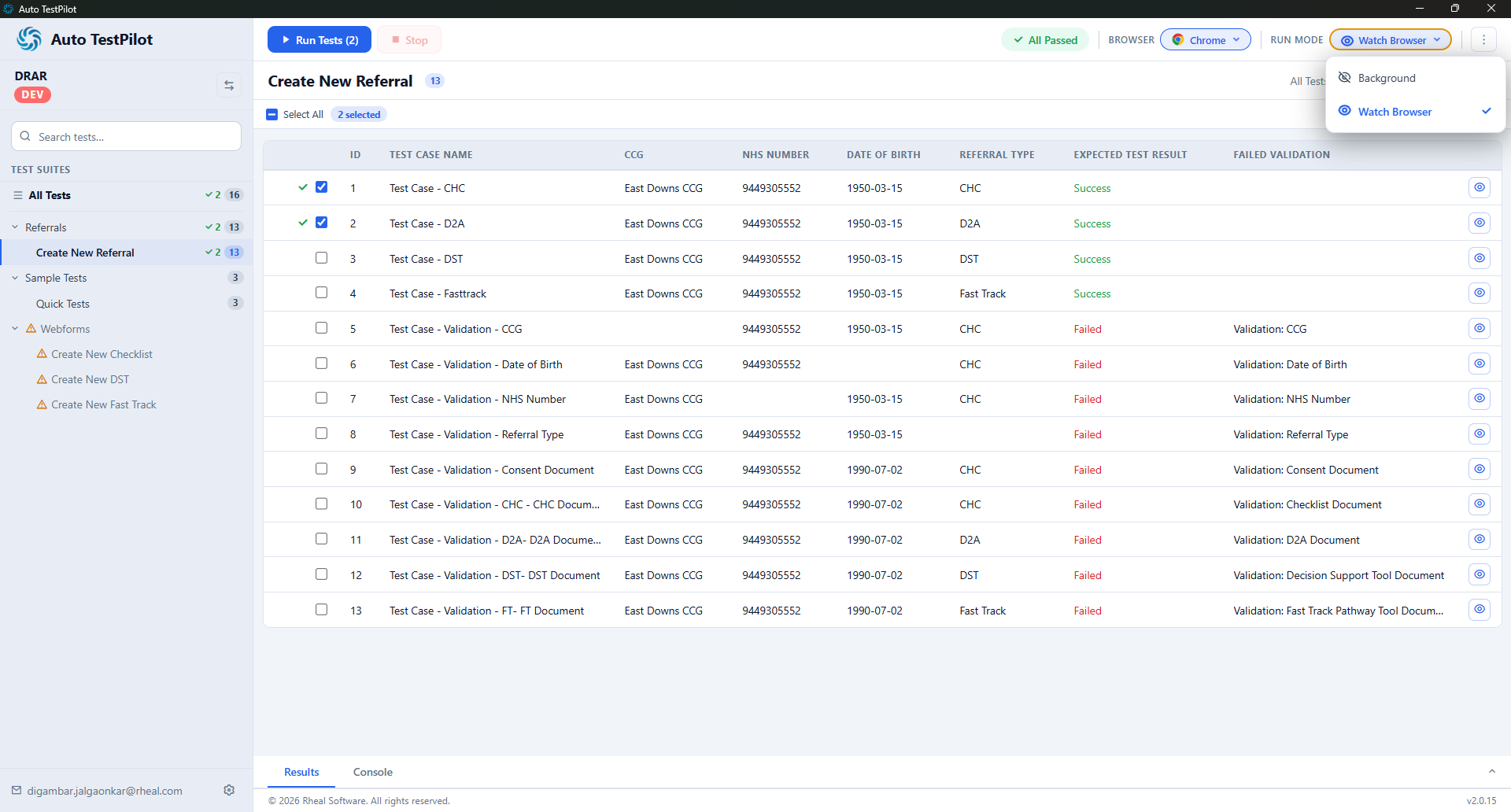
- Watch and Background Modes: A setting lets the tester choose watch mode or background execution, according to the needs of the test run.
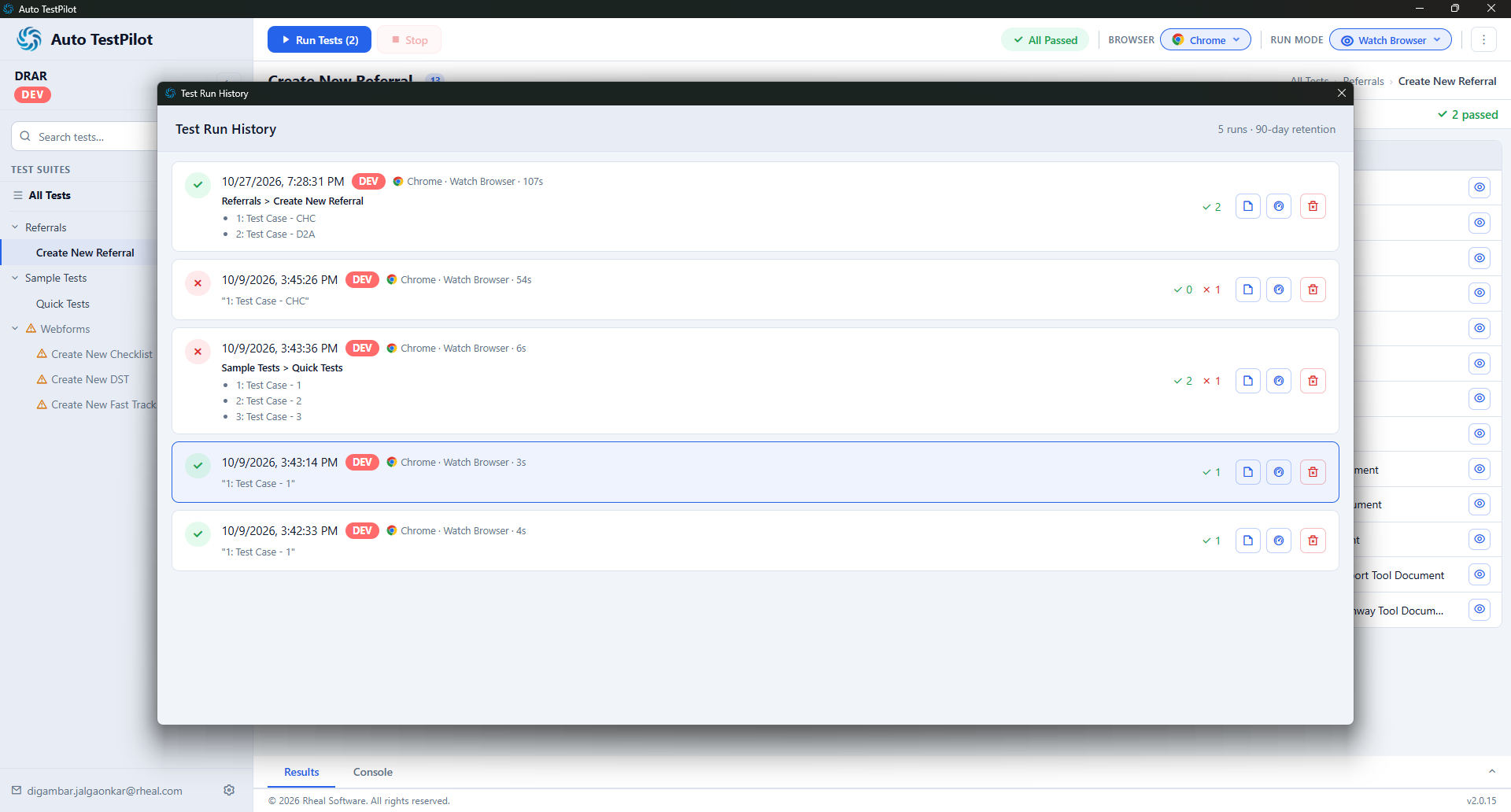
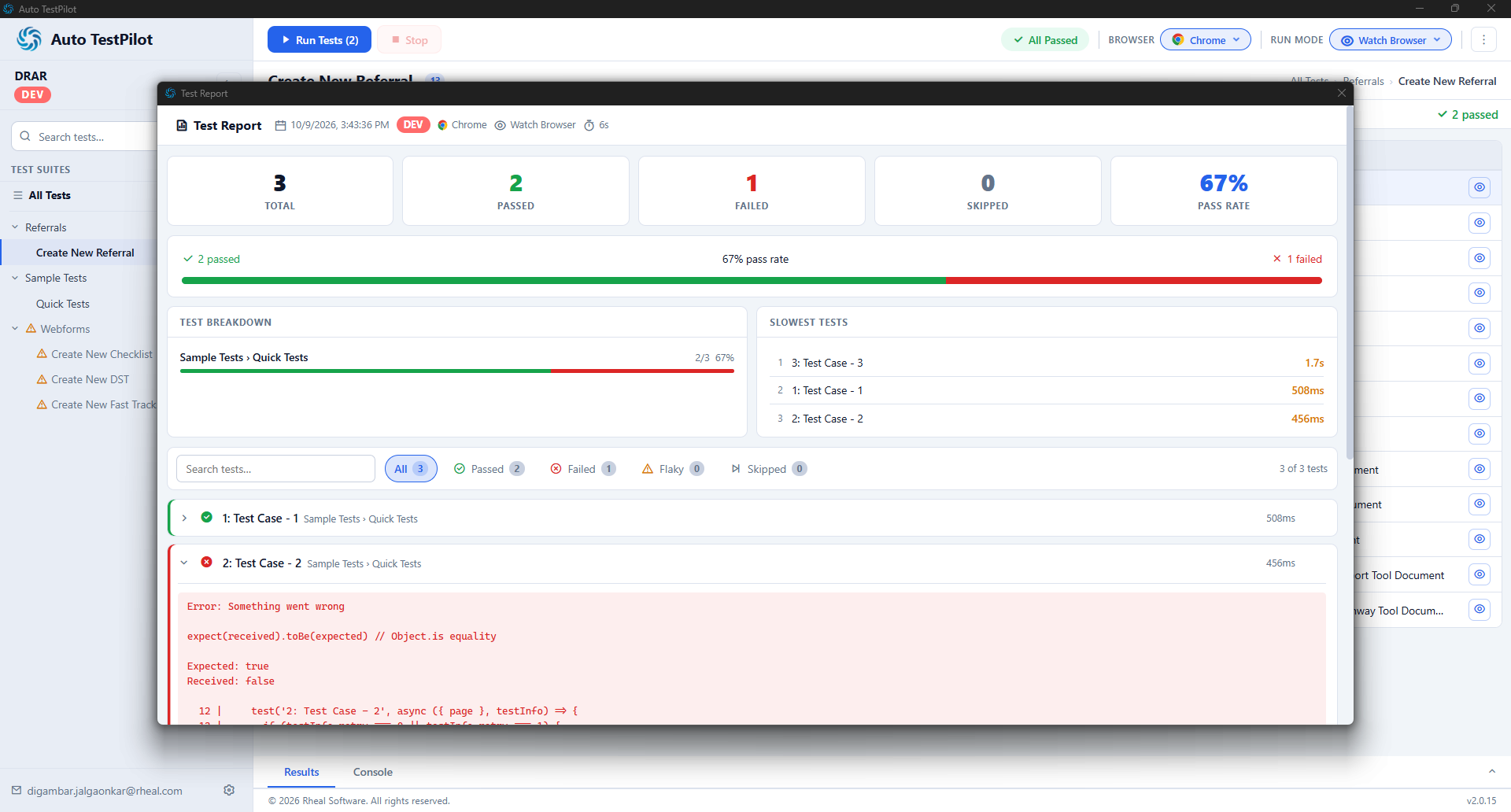
- Results and Run History: Execution outcomes can be reviewed in the Results or History section.
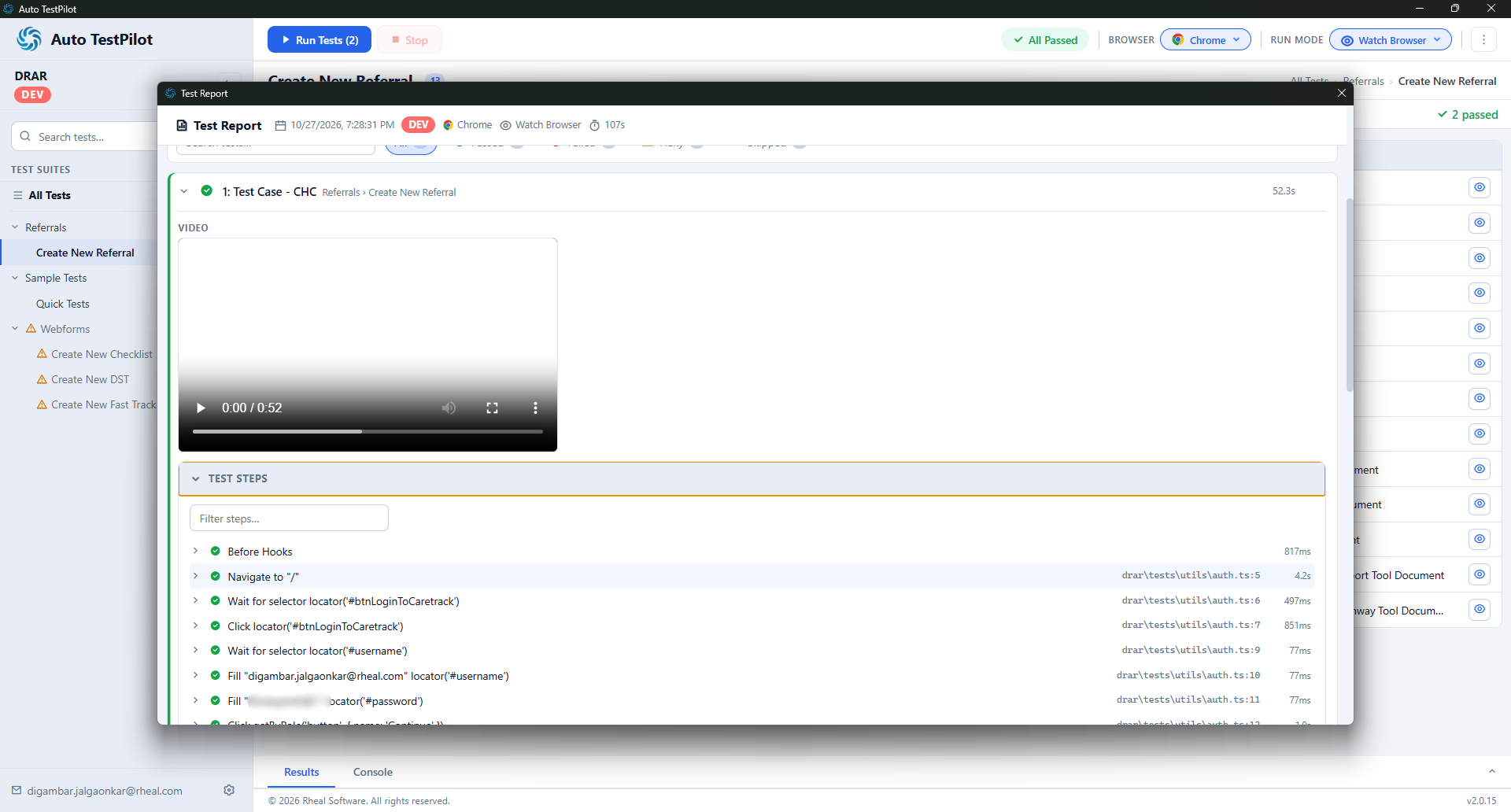
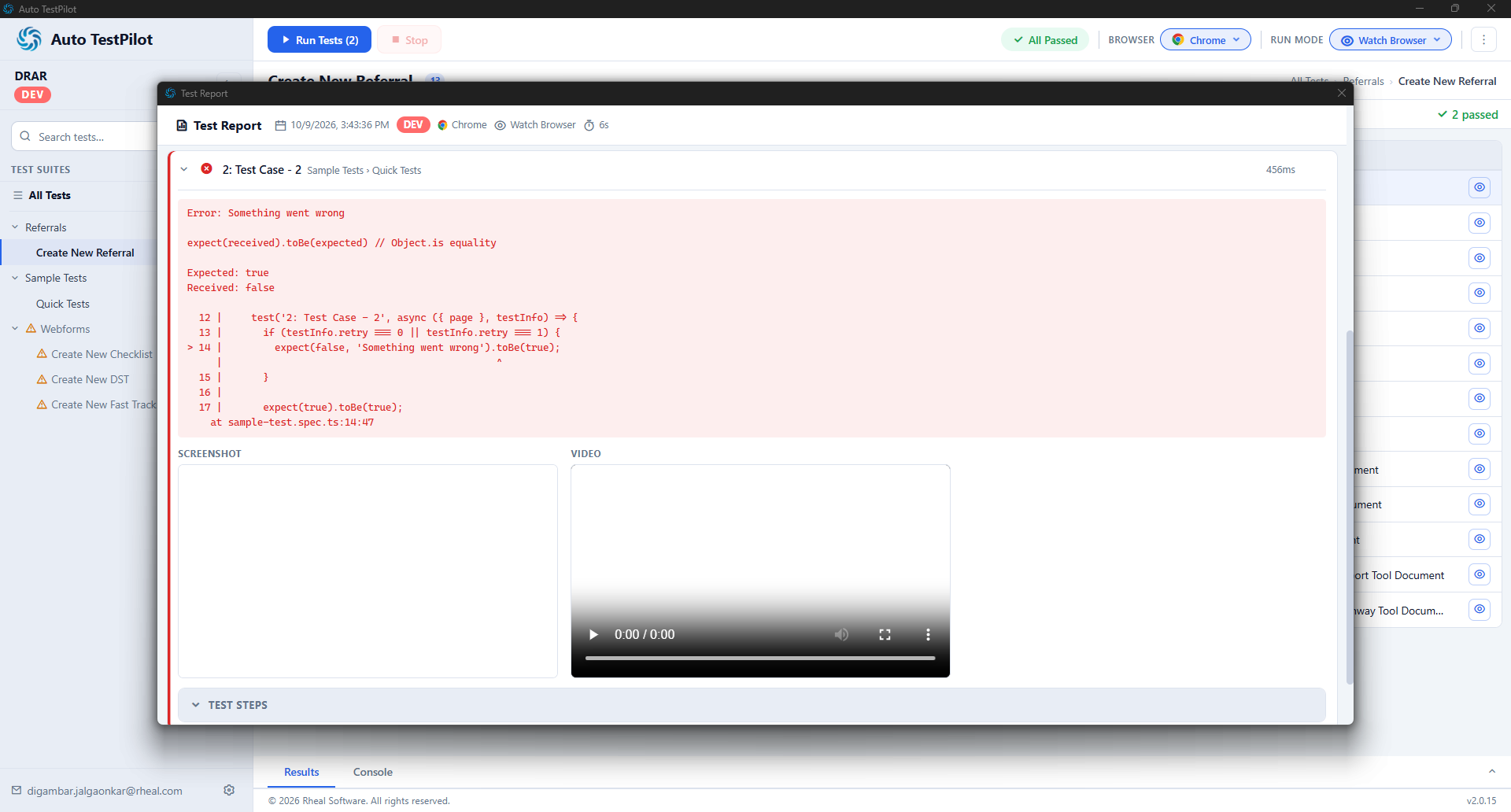
- Step-by-Step Screenshots: Screenshots captured during each test run help testers inspect the application's state at different stages of execution.
- Full-Run Video Recording: Each run includes a video recording. If a script fails, the tester can review the video to help identify the stage at which the failure occurred.
 The Result
The tool brings test script preparation, test data customisation, execution and result review into a single desktop workflow. Teams can reuse scripts by cloning them and changing test data, run one or multiple tests, and choose between watch and background execution. Step-by-step screenshots and full-run video recordings provide additional context when investigating failures, helping testers understand where a test may have gone wrong.
The solution is designed to make automation testing workflows easier to organise and test failures easier to investigate. Quantified improvements in execution time, defect detection or testing effort have not been included because no measured figures were provided.